Here is a list of digital (and physical!) artifacts to create connections between friends, increase conversation bandwidth, or simply enjoy pleasant aesthetic experiences. I’m not sure if they are good ideas, but they have been fueling my curiosity for long enough that I’ve written several series of notes about each of them.
You can read this post as a to-do list I never got the time to implement, or a list of prompts to use once AI becomes good enough at building high-quality software.
In the meantime, I thought these proto-prototypes would have a brighter life in public, outside of my personal notes. They might inspire readers looking for a weekend vibe-coding project, or at least be entertaining to read. Enjoy!
Hardware: The friend-o-phone.
A concept co-created with the great Diego Dorn!
Goal: Creating ambient co-presence among a group of friends that live far from each other.
The friend-o-phone is an object meant for living rooms. It works as a simple voicemail box. It is a welcoming object with only two buttons and one LED.
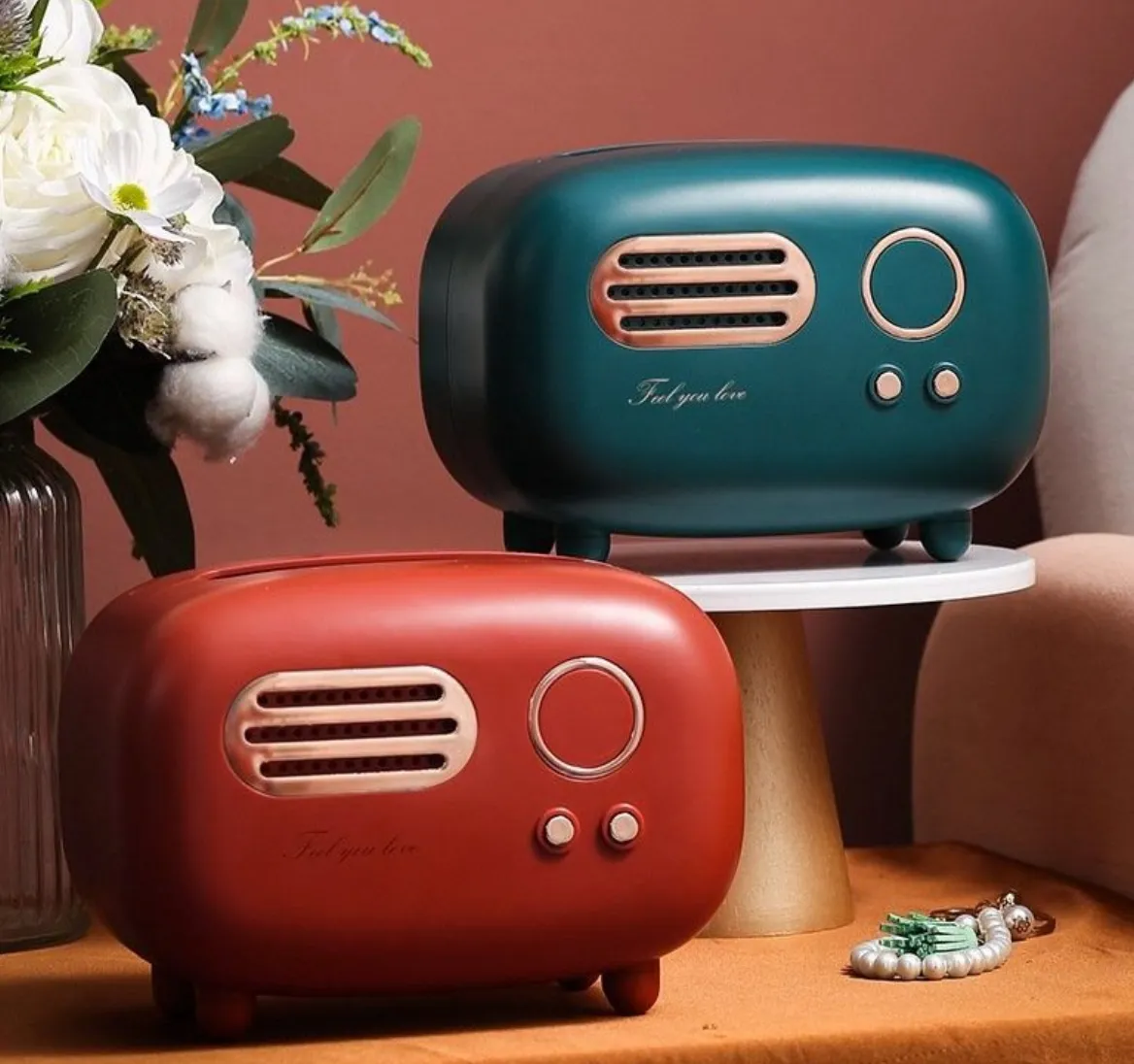
You can click the “record” button to create a one-minute audio clip and send it to the stack. You can click the “listen” button to read a clip from the stack. The LED can change color to signal that there are messages in the mailbox.
It creates a low-friction option to connect with your friends at a distance, as if they were casually present in the living room, doing something else. You can share an anecdote of your daily life, record a piece of a cool song you discovered, ask and answer, etc. And if two or more friends are using the friend-o-phone at the same time, you can even have an almost synchronous discussion through 1-minute clips.
When you open your smartphone to share an update with your friends, you have to dodge a series of six distracting notifications and three social media apps projecting fomo before you can land on the messaging app. At this point, chances are you forgot why you where here in the first place.
The friend-o-phone breaks this generality. It is a bespoke piece of hardware that serves a single purpose. This makes the habit you care about more available in your mind as the object is in your visual space, and you can use it without having to look at a screen.
Variations & extensions:
- Three different channels. There are three sets of record/listen buttons and three LEDs. At first, the channels don’t have a specific meaning, but over time, they organically acquire significance. There might be the “life anecdote” channel, the “music recommendation” channel, and the “random stuff” channel.
- Group call button. When two or more person push this button at the same time, they start a group call.
- Physical tape recorder. A tape is rotating when a message anytime a message is received, played or recorded. This makes the object more transparent, and gives privacy confidence: if the tape is not turning, the device cannot be recording.
Software: Conversation flywheel.
Goal: Increasing collective working memory during a conversation.
It is notoriously common to forget what you were talking about a few minutes ago. During intense discussions where all your attention is focused on the topic at hand, you don’t have the bandwidth to think about the trajectory while you are in it.
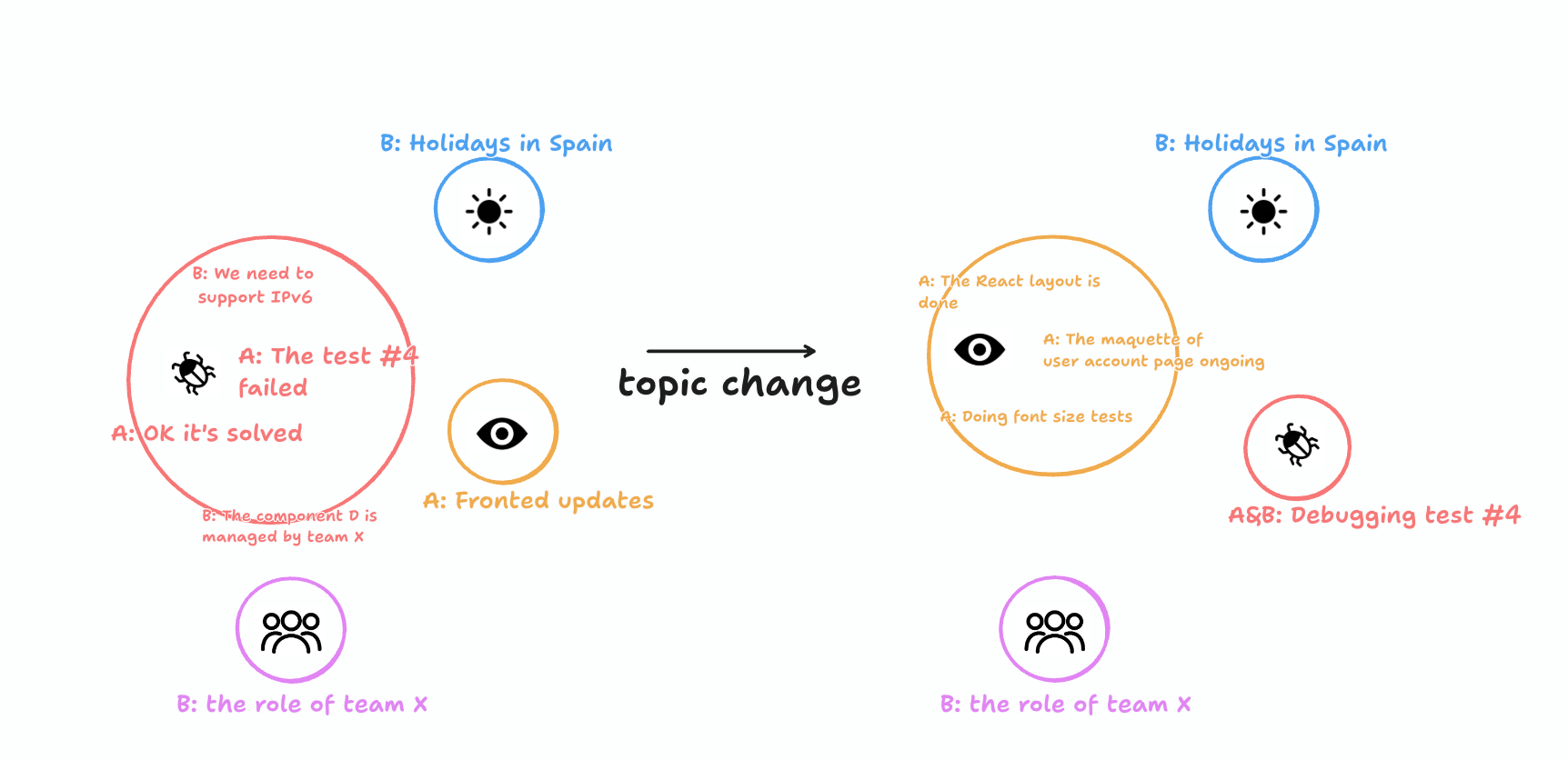
The conversation flywheel is a visual interface that lives in the peripheral vision during an in-person or online chat. It can be a screen in a room, or a widget integrated into a video-conference service. Like a mechanical flywheel, its purpose is to keep the momentum going. As the participants speak, keywords or short quotes are added to the center of the interface in the focus space. After a few seconds, they slowly shrink and drift to the periphery to leave space for the fresh contributions. The interface only shows enough key statements that the participants can recover their trails at a glance.
When the topic changes, the interface bundles the quotes into a peripheral circle labeled with a short handle and an icon. The focus space becomes empty, ready to receive the new topic. If an old topic surfaces again, the corresponding peripheral circle gets back to the focus space and expands to reveal the trails from the previous discussion about the same topic. The participants can also deliberately expand the circles through voice control by simply saying the names of the circles.
Variations & extensions:
- Vibes flywheel. Instead of transcribing the information content, the interface is synthesising live video content that matches the vibes of the space: a fireplace for a late night conversation, aerial shots of landscapes as someone talks about their experience in the Amazonian forest, or abstract patterns like the iTunes visualizer that adapt to the music during a party.
- Past circles. The content from past conversations can be pulled in context, with their set of icons and labels. Over time, the icons are used to refer to concepts without the need to unpack the old circles, and the group creates its own visual and verbal jargon.
River timeline.
Goal: Create stronger connections to your past selves, cultivate a deliberate relationship with your personal projects and information.
I would bet that every day, a torrent of new items lands in your notes: links to cool articles, disconnected thoughts about various projects, recommendations for events in town.
Instead of feeling the urge to tidy up all these notes so they fit in your personal knowledge management system, River timelines let you treat this flow of notes as, well, a river.
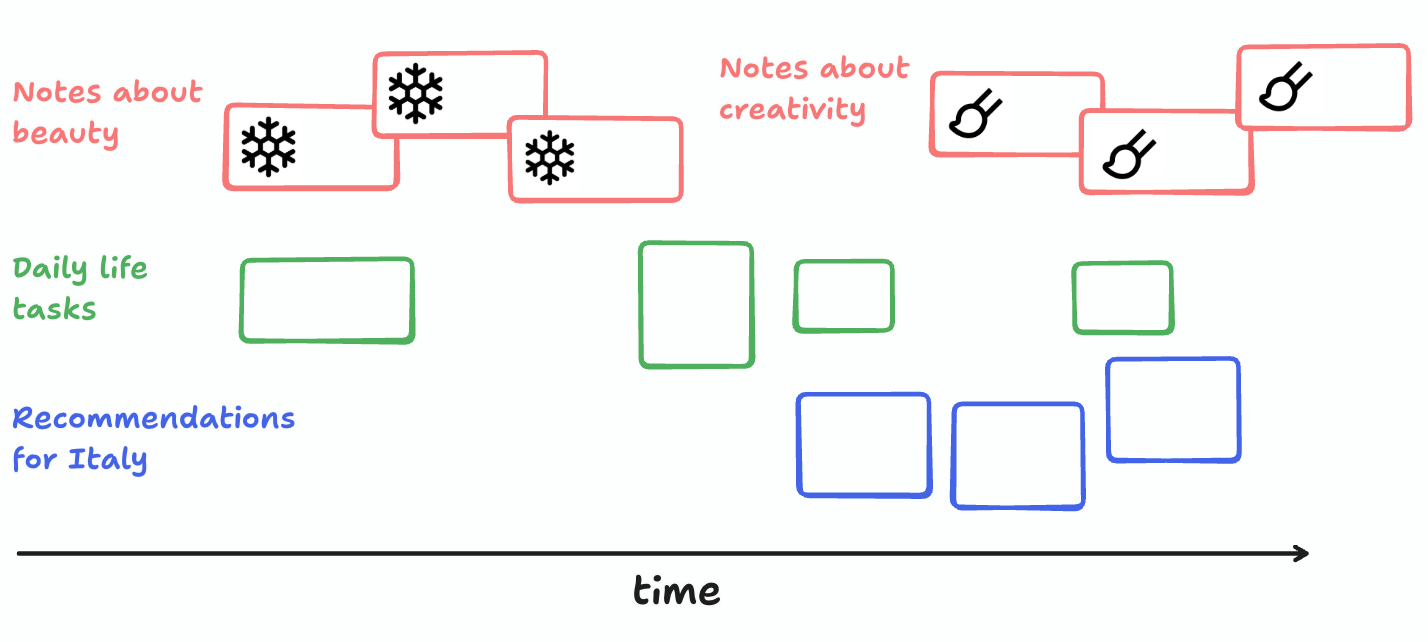
This freedom from structure comes in exchange for a retrospective ritual. Every week, you take an hour to look at all the notes you added to your river, organized along a timeline. Each item is presented in the form that is the easiest to glance: long blocks of text are shown collapsed, with a title cleverly picked from the note with an illustration, links to articles are shown as a one-sentence summary surfacing the point most likely to interest you, while images are rendered directly.
The flow is divided into sub-timelines that cluster by topics. When a topic ends, the vertical space of the timeline gets replaced with another topic cluster that is close to the previous one (like the beauty → creativity transition in the mockup). The two topics get differentiated by the icons attached to the notes.
As you re-process the flow of notes, you go through a fast-forward of the events that happened over the past week. You consolidate your memories into a narrative made of interacting strands. You can move the blocks around, make connections on the canvas, and create spatial hubs for related notes.
As you rediscover the items, you can take the hat of a VC funder, investing your own time. You compare different project ideas and decide which one passes the bar for your next weekend prototype. You pick which articles keep sparking excitement after you see them in the river, and should definitely be next on your reading list.
Every time you come back to this timeline, the spatial organization evolves. Maybe different colors come to mean different things, spatial hubs get created, and stop being used. But all these changes follow the timeline, they are in the same visual space, and the holes can be filled from the spatial context.
When you need to recall an item from your notes, you know spatially where it should be located, and you can find it reliably.
Variations & extensions:
- Data integration. We can imagine augmenting the timeline with data from different sources. Calendar events and photos picked from the gallery could be used to facilitate the emulation of your past self.
- Group timeline. Timelines could be built from the information sent through online platforms like Telegram, Discord, or even X. Groups could decide to regularly meet to “tell the story of their community”, and craft their collective narrative. This could be done in meme form, where, for instance, two sides of a debate could be associated with animals. Over time, the community tells the story of the fight, and maybe the reconciliation of the totem animals as the debate concludes.
Latent growth.
Goal: Create aesthetic experiences of objects that don’t fit any categories.
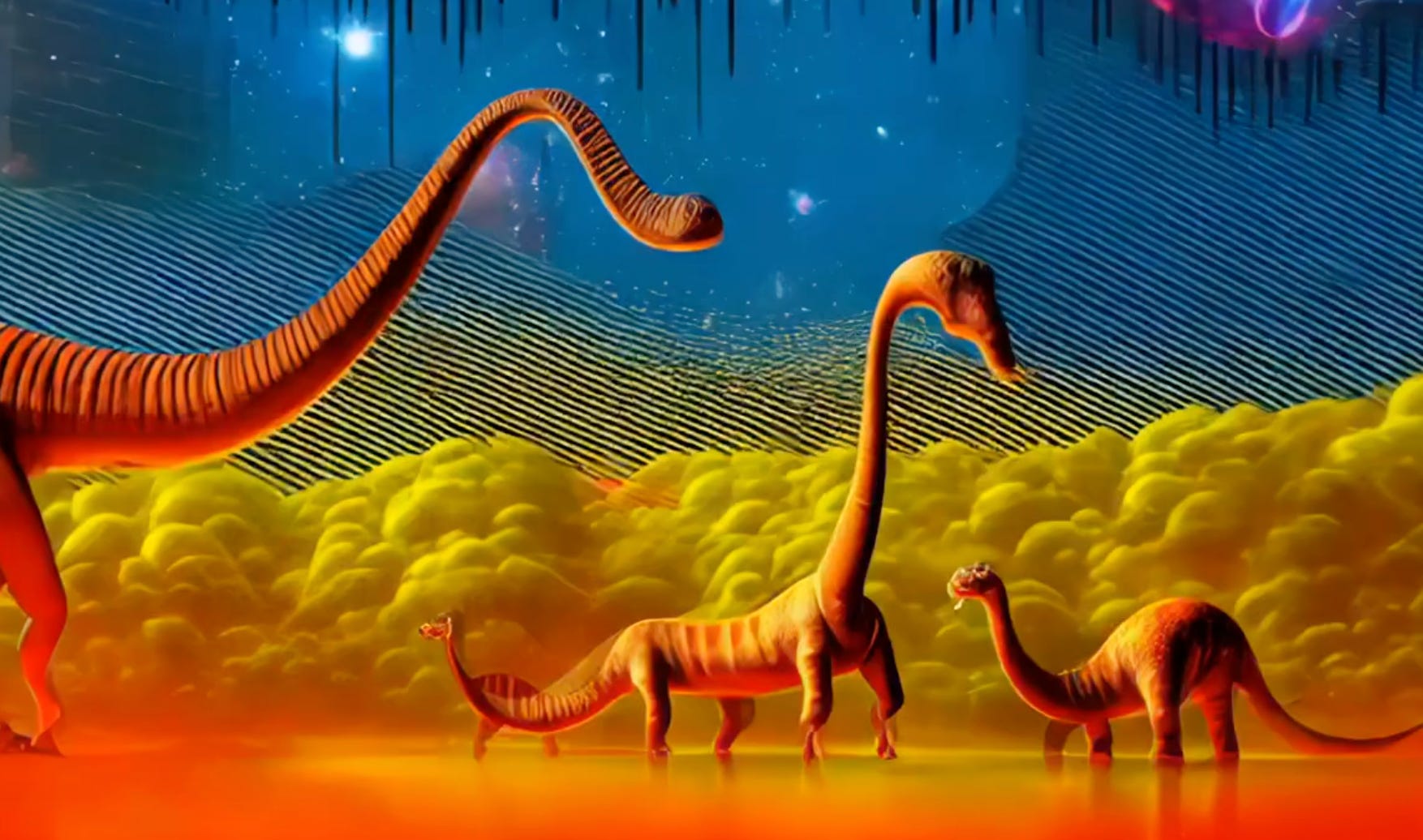
Latent space explorations are these smooth journeys that interpolate through the hidden dimensions of image diffusion models. As you watch them, you feel like all the shapes you see make sense, but you are unable to name what they are when you pause the video.
Latent growth is the crossover of this endless stream of puzzling shapes, with the peace and quiet of a plant. It is a colored digital ink screen that hangs from a wall like a painting. Over the day, its shapes evolve gradually, at the speed of plant growth. Like a vegetal, the exact speed depends on the environment: it is faster in warm, luminous spaces.
As you watch the latent growth unfold infinitely, evading all the predictions you made for where it would go next, you are constantly reminded of the nebulous nature of the world. All the discrete categories you take for granted, like “cat” or “dog,” are broken with unnamed in-betweens.
Closing thoughts.
I believe the digital age and the age of AI leave plenty of room for tools that nurture meaningful human moments. These fruits are now ripe to be picked.
If any of these ideas caught your attention and you’d like to chat about them, either to simply jam on the concept or if you plan to make a prototype, feel free to contact me!
Want to hear when I post something new?